← RETURNMANUAL
How to Use ATM
P-CATEGORYBanking
P-LOCATIONPeräjärvi Center
ATM OPERATION GUIDE
Follow these steps to successfully use the Otto ATM located in the center of Peräjärvi.
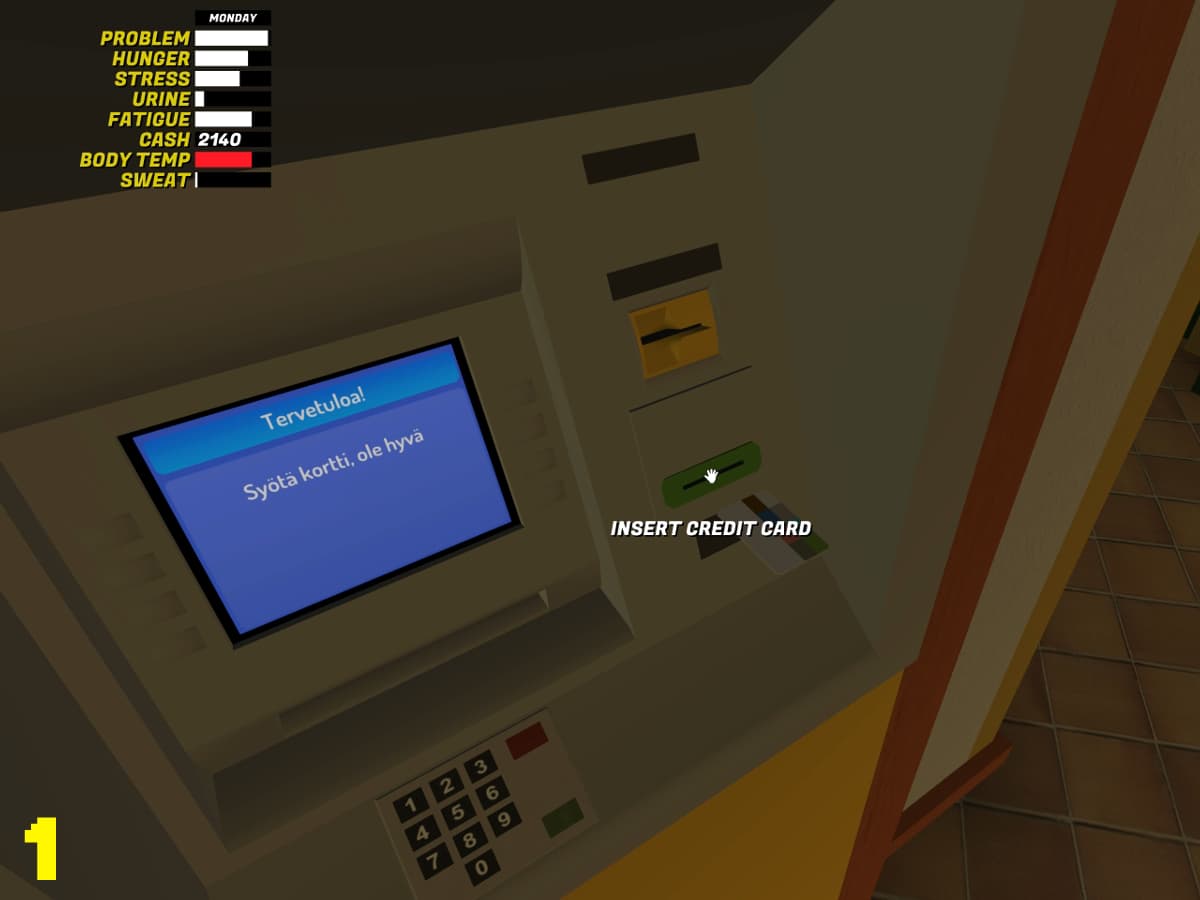
1. INSERT CARD
Insert your bank card into the slot to begin the transaction.
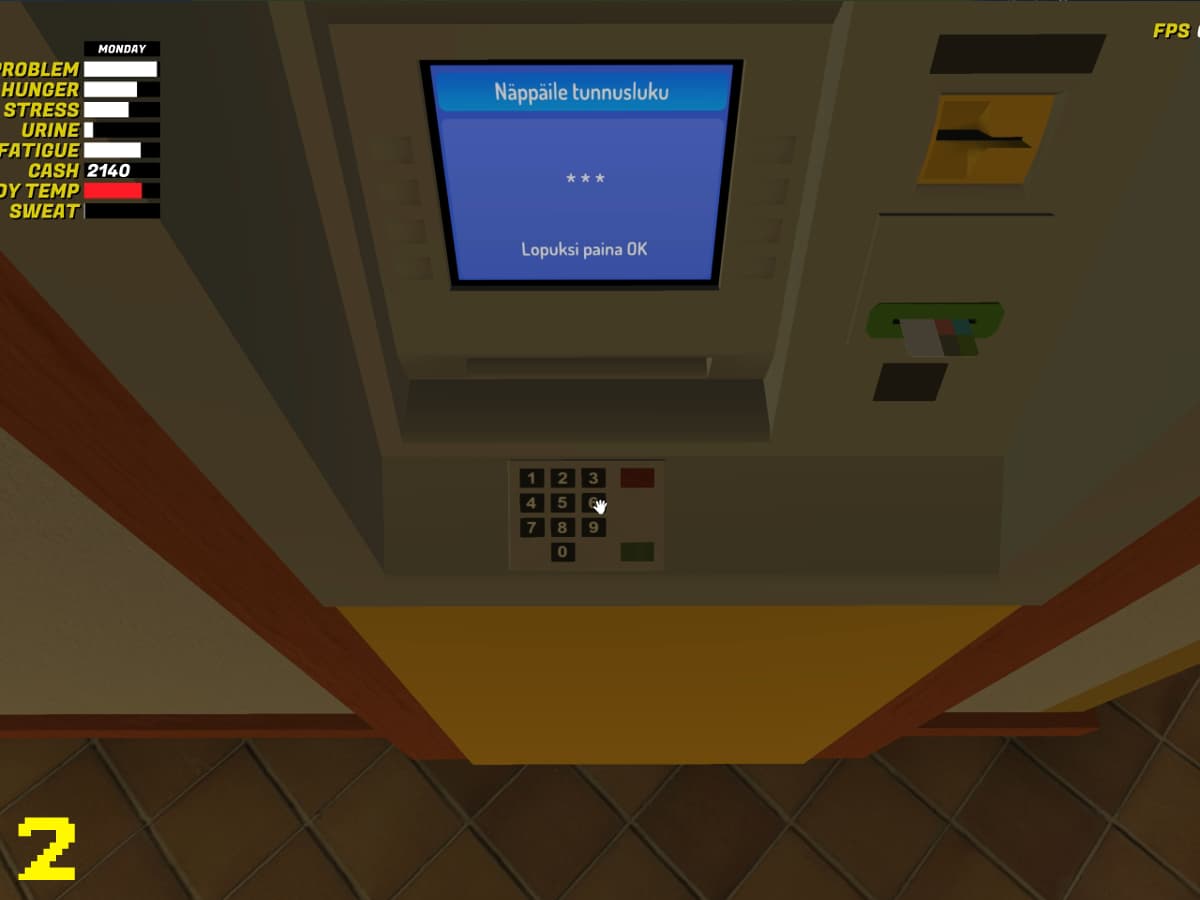
2. ENTER PIN
Type in your PIN code.
[!WARNING]
CRITICAL: The first PIN you ever enter at the ATM will become your permanent PIN for the rest of the game. Please make sure you remember it!
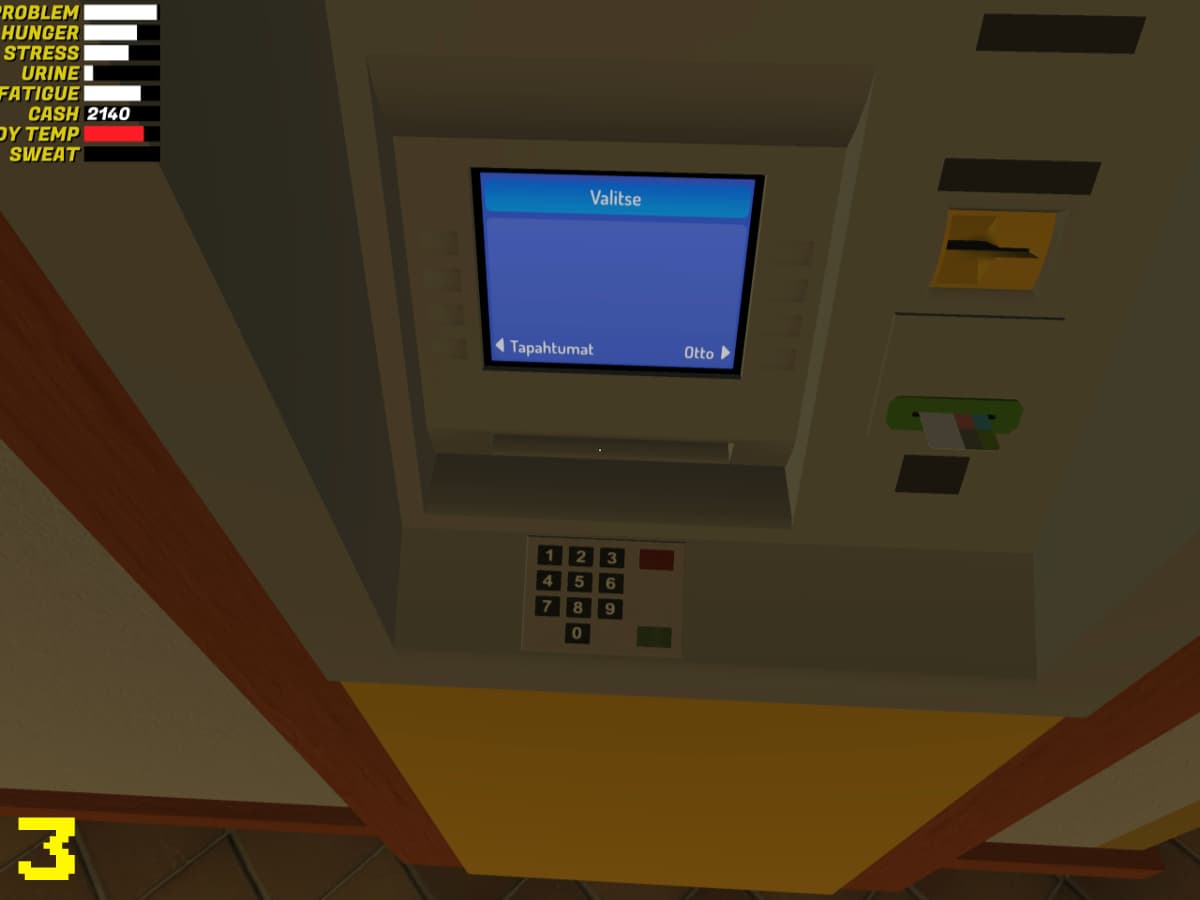
3. SELECT TRANSACTION
Choose the service you require:
- Tapahtumat: Transactions / Statement
- Otto: Withdraw cash from bank
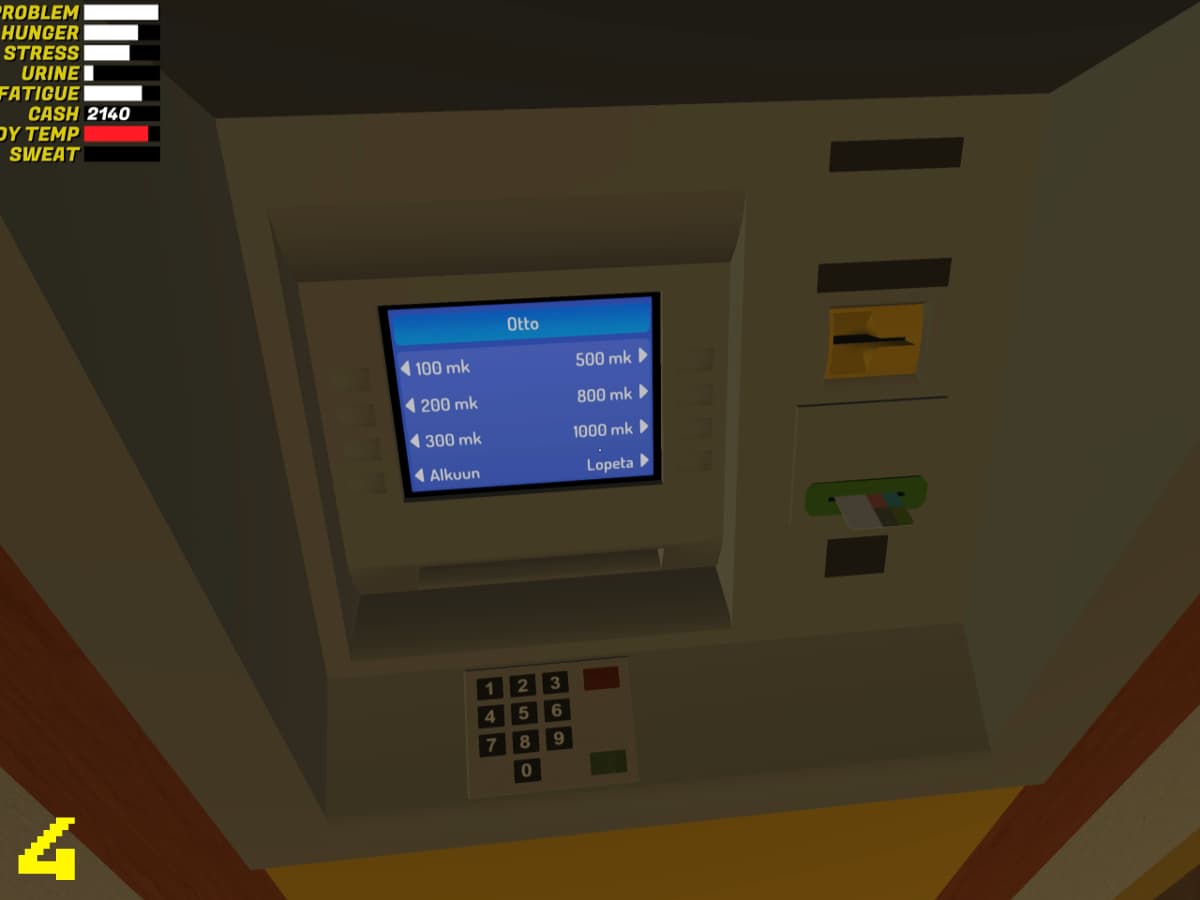
4. SELECT AMOUNT
Select the amount of money you wish to withdraw from the available options on the screen.
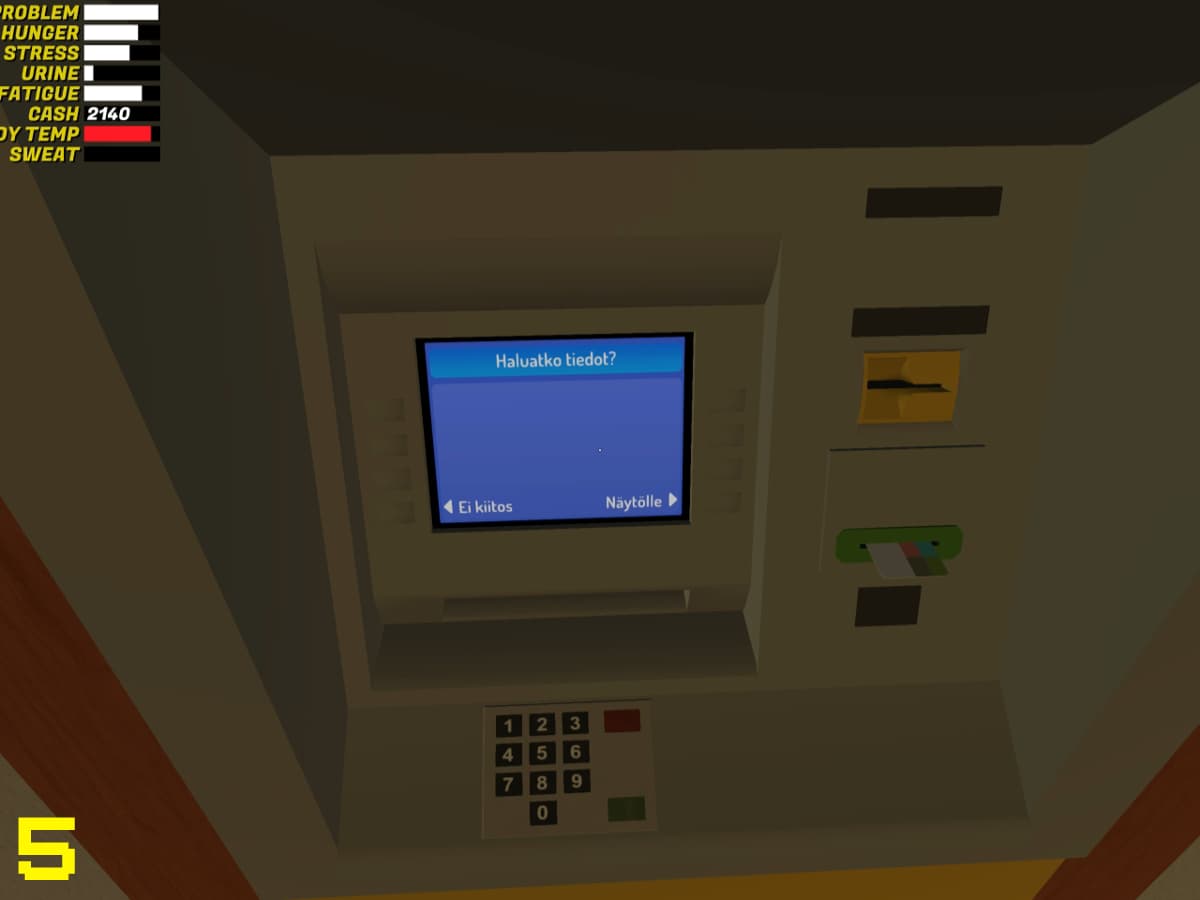
5. RECEIPT PREVIEW
The system will ask if you want to see the withdrawal details:
- Ei kiitos: No thank you
- Naytölle: Show transaction on screen
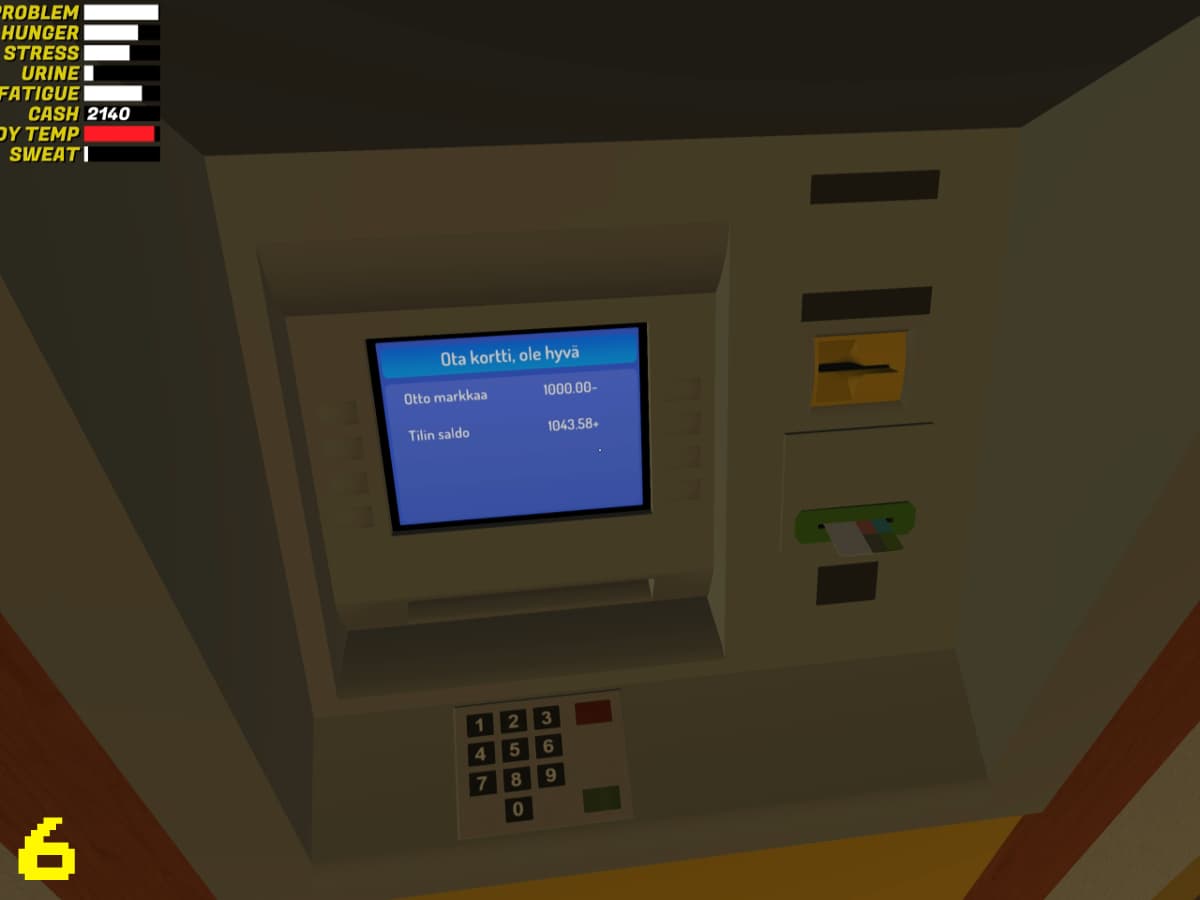
6. SCREEN PREVIEW
If you selected "Naytölle", the transaction details will be displayed for your review.
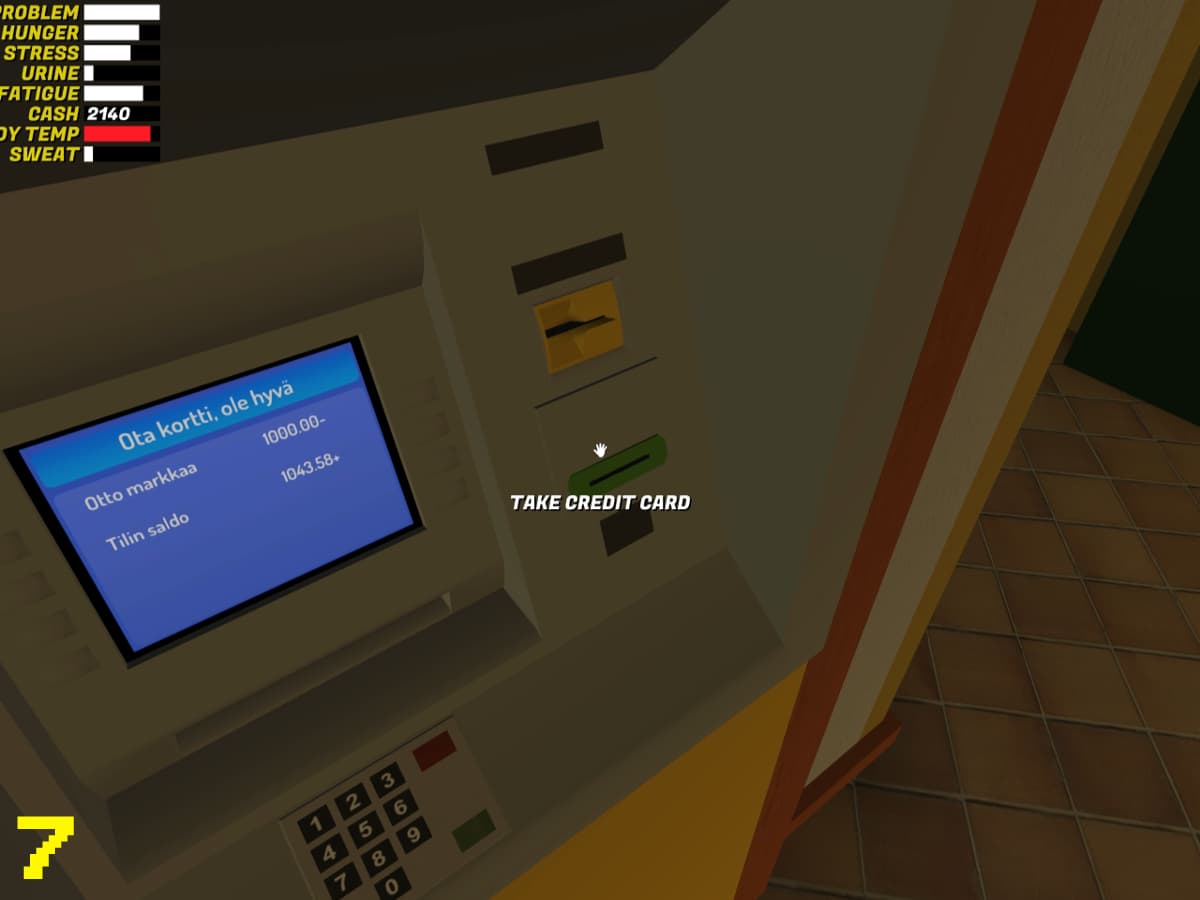
7. RETRIEVE CARD
Don't forget to take your credit card back from the machine.
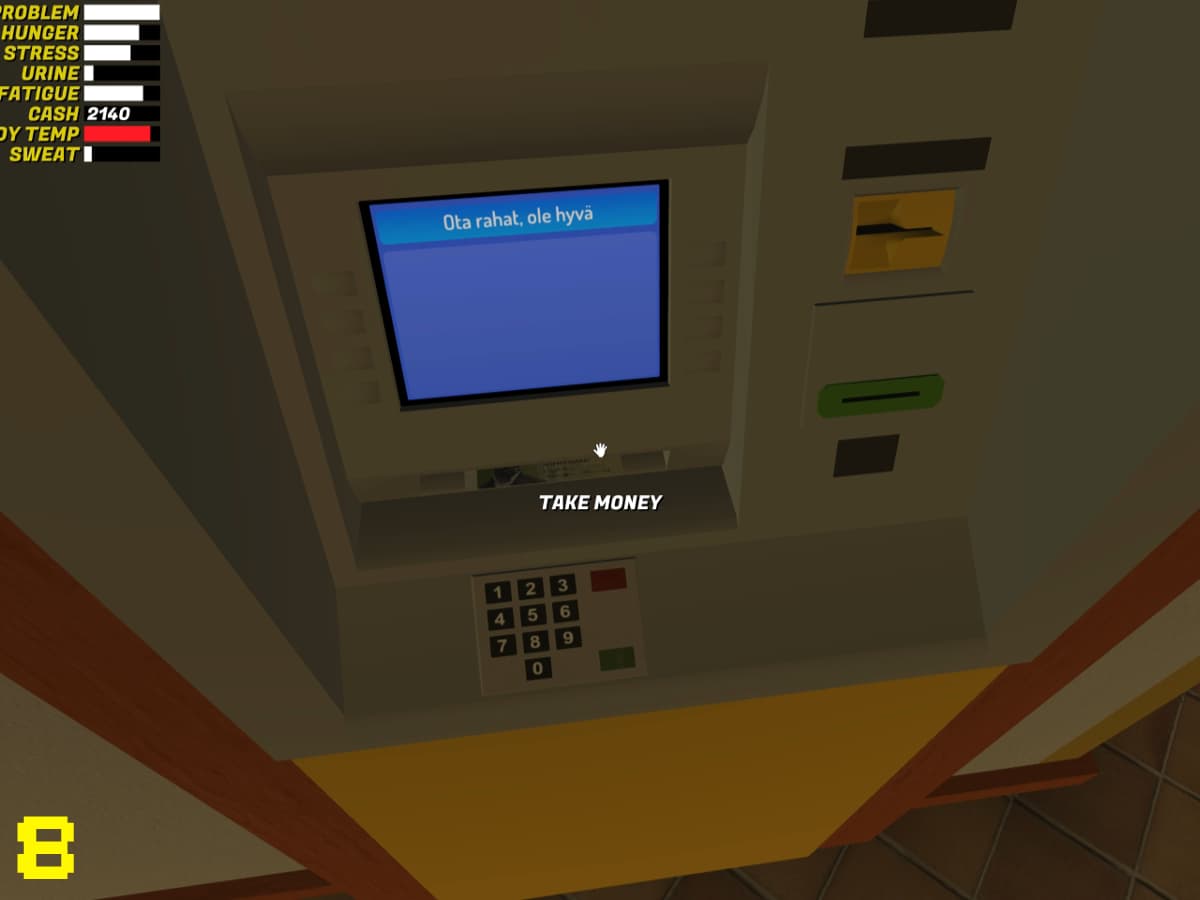
8. COLLECT CASH
Finally, take your money from the dispensing slot.